10 Essential Unity Tips to Boost Your Game Development Workflow
Discover 10 essential Unity tips that can streamline your game development process, from snapping objects to the grid to saving changes in play mode.

Struggling to keep your Unity projects organized and efficient? We’ve got you covered! Check out these 10 essential Unity tips that’ll help streamline your game development workflow and make the process much smoother.
Game development with Unity can be a thrilling journey, but it’s easy to hit roadblocks along the way. Whether it’s losing progress in play mode or struggling to keep your inspector organized, these hiccups can slow you down. Luckily, there are simple tricks to make your life easier and your development process more efficient. Let’s dive into these top 10 Unity tips that will help you work smarter, not harder.
1. Avoid Losing Progress with Play Mode Tint
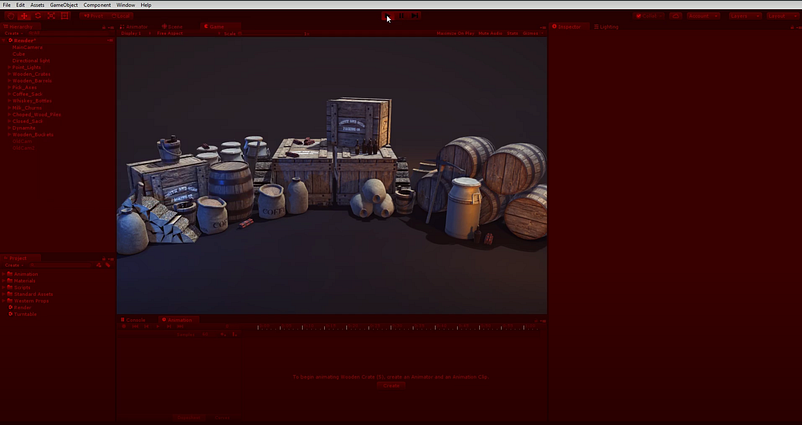
Ever spent time perfecting a feature only to realize you were in play mode the entire time? Frustrating, right? Unity’s Play Mode Tint is here to save the day. By tweaking the editor’s color when in play mode, you’ll never miss that subtle change again. Just head over to Edit > Preferences > Colors and adjust the Play Mode Tint. This color cue is a game changer for staying on track and avoiding those annoying moments of lost progress.
2. Snap to Grid for Precise Object Placement
Placing objects in the right spot can be a pain, especially when precision is key. Unity’s snap-to-grid feature helps you get it right every time. Simply hold down the Control key while dragging an object, and voilà—your object snaps perfectly to the grid. For even more control, go to Edit > Snap Settings to adjust the grid size on different axes. This way, you can easily align objects and keep your scenes tidy.
3. Lock the Inspector to Keep Focused
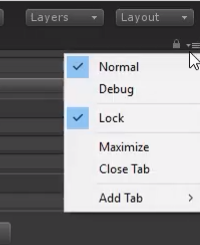
Need to add multiple objects to an array but don’t want the inspector view to keep changing? Locking the inspector is your friend. By clicking the small lock icon at the top right of the inspector, you can keep your current selection visible. This is especially handy when you’re adding lots of components or objects, as it lets you stay focused without constantly losing your place.
4. Debug Mode for Viewing Private Variables
Debugging can be a hassle, especially when private variables are involved. Normally, Unity’s inspector only shows public variables, making it tough to debug private ones. But with Debug Mode, you can see all variables directly in the inspector. To activate this, click on the three dots in the top-right corner of the inspector and select Debug. This saves you from inserting unnecessary debug logs or temporarily making variables public, speeding up your troubleshooting process.
5. Align Camera with View for Perfect Shots
Setting up the perfect camera angle can be tedious with the move and rotate tools. Instead, try aligning your camera with the current scene view. Find the desired angle in the scene view, select your camera, and press Control + Shift + F. This command snaps the camera’s position and rotation to match the scene view, making it super easy to set up dynamic shots. You can also find this option under GameObject > Align with View.
6. Use Range Attribute for Easy Tweaking
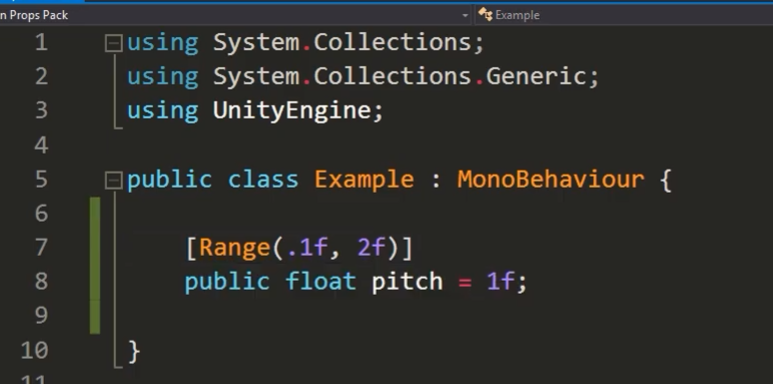
Unity’s Range attribute is a small but powerful tool that helps you tweak variables with ease. By adding [Range(min, max)] before a variable, Unity creates a slider in the inspector, allowing you to adjust values within the specified range. This not only makes your inspector cleaner but also prevents errors by keeping values within logical bounds. Perfect for adjusting speeds, scales, and other numeric values on the fly!
7. Save Changes Made During Play Mode
Made some adjustments in play mode that you want to keep? Instead of redoing everything after stopping the game, use the copy and paste component values trick. Right-click on the component you’ve adjusted, select Copy Component, then after stopping play mode, right-click again and choose Paste Component Values. This simple trick ensures your valuable tweaks don’t get lost once you exit play mode.
8. Organize Scripts with Spaces and Headers
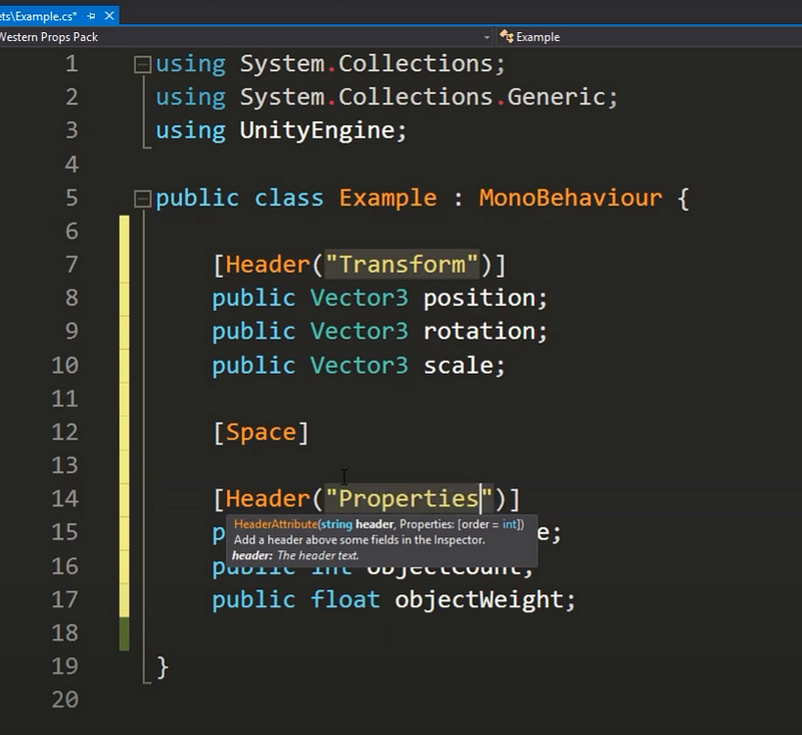
Large scripts with numerous variables can get messy quickly. To keep things organized, use [Space] to add gaps between variables and [Header("Your Header Name")] to group related variables under a title. This visual organization helps you quickly find and manage your variables, making your inspector much more user-friendly.
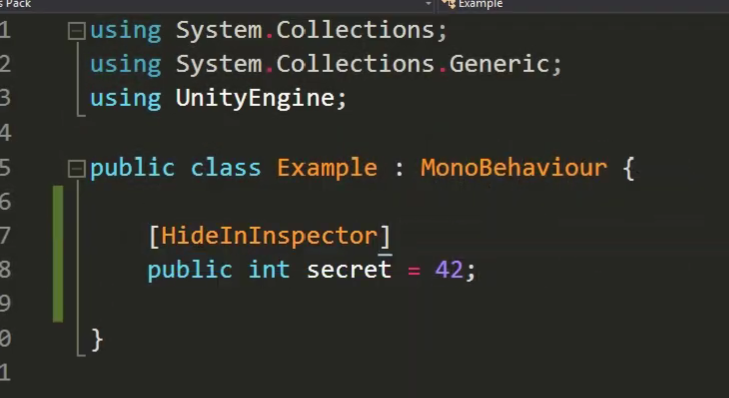
9. Hide Variables in Inspector with HideInInspector
Sometimes, you’ve got variables that you want in your script but not cluttering your inspector. The [HideInInspector] attribute does exactly that. Apply it to any variable you want to keep out of sight but still functional in your code. This is particularly useful for variables that are managed by scripts but don’t need manual tweaking.
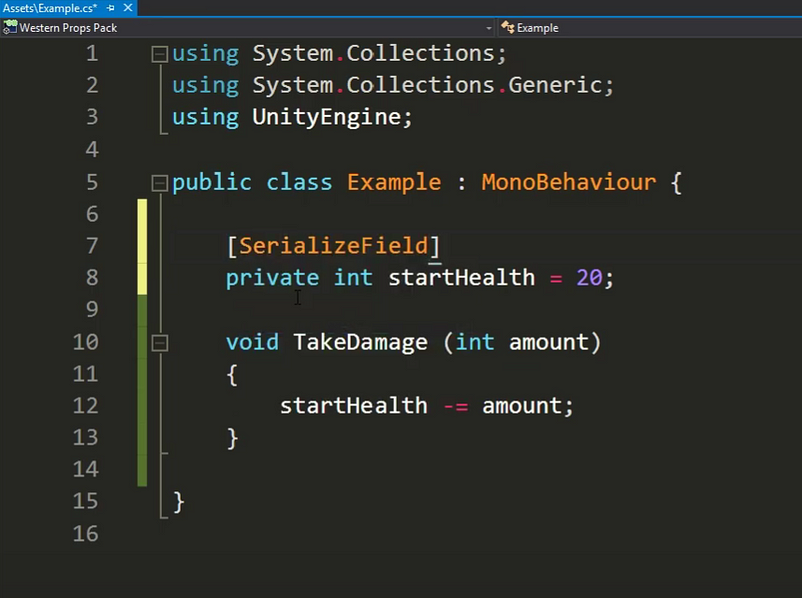
10. SerializedField for Private Variables in Inspector
You don’t always want variables to be public just to adjust them in the inspector. The [SerializedField] attribute allows private variables to appear in the inspector without making them public. This keeps your variables safe from outside classes while still letting you tweak them in the inspector—best of both worlds!
Wrapping Up
These 10 tips are all about making Unity work for you, not against you. From preventing lost progress to keeping your inspector organized, these small adjustments can make a big difference in your development workflow. Try incorporating them into your daily routine, and you’ll likely find that your projects run a lot smoother and faster.
Got any other handy Unity tips? Share them in the comments below, and who knows — they might just make it into the next post!
Ready to take your Unity skills to the next level? Dive into these tips, experiment, and let your creativity flow!
For more in-depth Unity tips and tricks, check out the Unity Manual and start mastering your workflow today. Happy developing!
